Tasks
The Tasks tab: goals with tiers that pay wDOGE, how to claim each reward by hand, maintenance pauses and the rules of every current task.
On this page
Tasks are goals inside the game. Each task has one or more tiers, and each tier has its own reward in wDOGE. You claim every reward by hand on the Tasks tab. This page explains how tasks work and the rules of each current task.
How tasks work
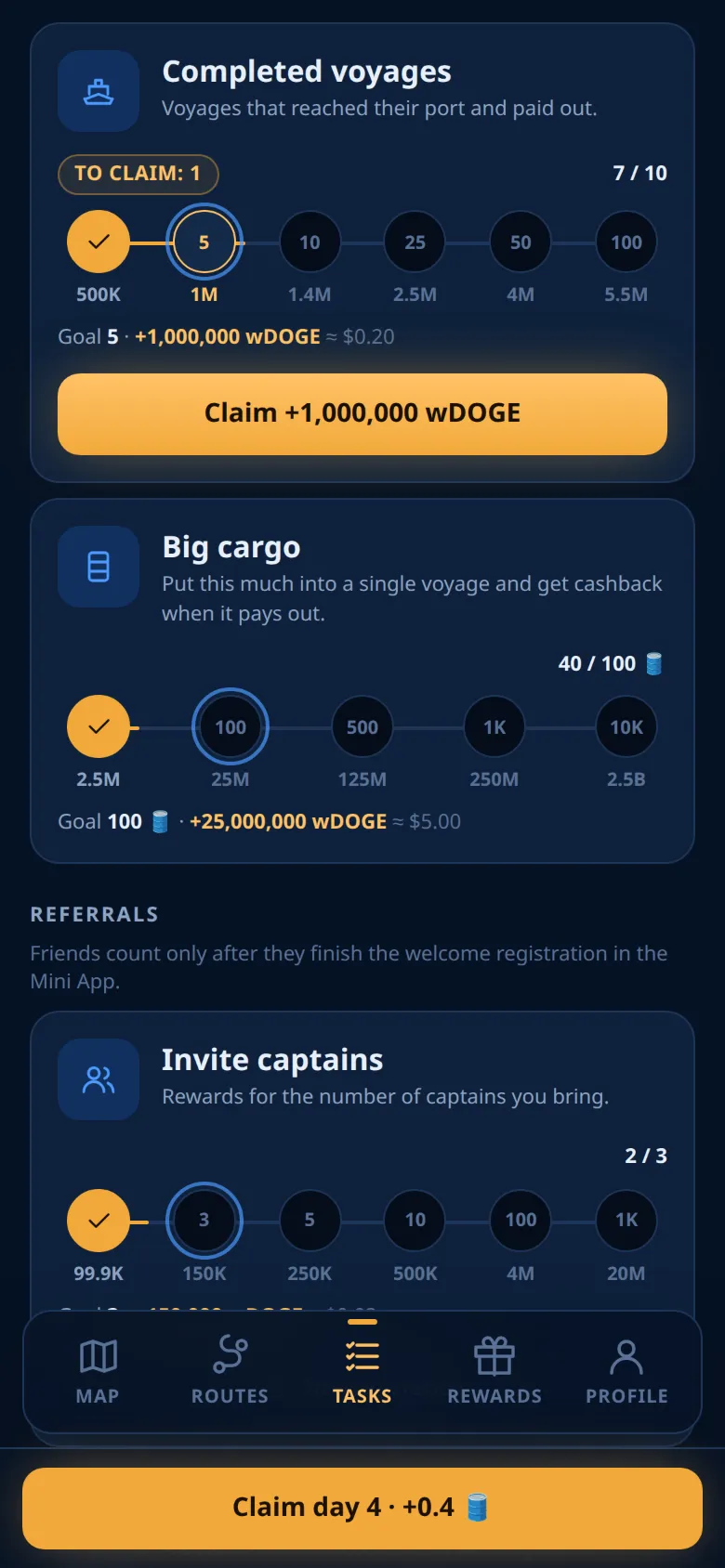
The Tasks tab shows, from top to bottom: the daily streak card, your wDOGE balance, and the tasks in four groups: Community, Voyages, Referrals and Profile.
- Every tier has a reward set in US dollars. It is paid in wDOGE at the DOGE price of the moment you claim. Right now 1 DOGE is $0.08, and 1 DOGE is 1,000,000 wDOGE. So the wDOGE amount on a button can differ a little from what you get.
- Progress counts by itself from your game records. There is nothing to send.
What to do with wDOGE: see wDOGE and DOGE.
The game team can add tasks, change rewards or switch a task off. The Tasks tab always shows the current list. Today it is:
Claiming
Rewards are never paid automatically.
- When you reach a tier, the task shows a claim button with the amount.
- Tap it. One tap claims one tier: the lowest tier you reached and did not claim yet.
- If you reached more tiers, the button moves to the next one. A badge To claim shows how many are waiting.
Reached tiers do not expire: a lower tier stays claimable after you reach a higher one. Each tier pays once. The wDOGE goes to your balance at once. In History it appears as Task reward.
If a friend invited you, that friend gets an extra 10% of your task reward in wDOGE. It is paid on top and is not taken from your reward. See Referrals.
Maintenance pauses
Sometimes claims are paused for maintenance. Then a banner says: Maintenance: tasks keep counting, rewards can be claimed later.
- The claim buttons are off.
- Your progress keeps counting, and reached tiers stay reached.
- Check buttons still work, and countdowns keep running.
A pause can cover all tasks or one task only. The daily streak is not paused.
Locked tasks
A locked task shows a lock and what opens it. Be part of the conversation opens when you are in the community group, or after you claimed Join the community. The partner program opens at its own first tier (see Partner program).
The current tasks
Community
Join the community: open the group with the Open button and join it. Come back, tap Check, then claim $0.10 in wDOGE. Subscribe to the channel works the same way, but it appears only while the channel task is switched on.
You count as a member while you are in the chat, even when muted. If you leave before you claim, the tier is not reached any more.
Be part of the conversation: earn XP for messages in the group. The card shows your XP and a level. The XP rules are on the Community page.
Voyages
Completed voyages counts the voyages that you had a share in and that reached port and paid out. Your free voyage counts. A cancelled or refunded share does not. Several shares in one voyage count as one voyage.
Big cargo counts the largest amount of your own wBarrel in one voyage that has paid out: all your paid shares in that voyage added up. The free share does not count. Each tier pays 5% of its goal, counted at 1 🛢️ = 1 USD.
Referrals
Invite captains, Bonus for every captain and Partner program count friends who joined through your link and finished the registration. See Referrals and Partner program.
Profile
Fly our flag in your name: add @OilVoyageBot to your Telegram first name or last name (not your @username). #OilVoyageBot works too. Keep no other tag in the name: a tag is @ or # followed by at least 4 Latin letters, digits or underscores, such as @durov or #crypto. Short bits like #1 and emoji are fine. Keep it for 30 days.
Invite link in your bio: put your own invite link into your Telegram bio and make the bio visible to everyone. The card shows a short form of your link with a Copy button. Other text in the bio is fine. Keep it for 30 days.
Keep-it tasks
The two profile tasks have a countdown. They follow these rules:
- The countdown starts at your first successful Check. Adding the tag or link without a check starts nothing.
- The game checks again every day at 04:10 UTC, and each time you tap Check.
- If a check does not find the tag or link (or finds another tag in your name), the countdown is deleted. It starts from zero at your next successful check.
- The term is complete at the first successful check after the full number of days. The card then says The term is complete. Claim your reward.
- After that you can remove the tag or link. The reward stays claimable.
Note
Only checks count. If you remove the tag and put it back between two checks, nothing changes.
Messages you may see
| Message | Meaning |
|---|---|
| This reward is not reached yet | The goal is not reached, or Telegram could not confirm your membership. |
| This reward is already claimed | This tier is already paid. |
| The check is not available right now. Try again later. | Telegram could not be asked, or you checked too often. Nothing changed. |
| Something went wrong | Nothing was claimed. Try again. |
Ready to sail?
Open Oil Voyage in Telegram and load your first tanker.