Profile
The Profile tab: your balance and stats, your nickname and avatar, language, flag, the guide tour and the other settings of your account.
On this page
The Profile tab holds your account: your balance, your stats, how other captains see you, and your settings. This page explains each part and how to change it.
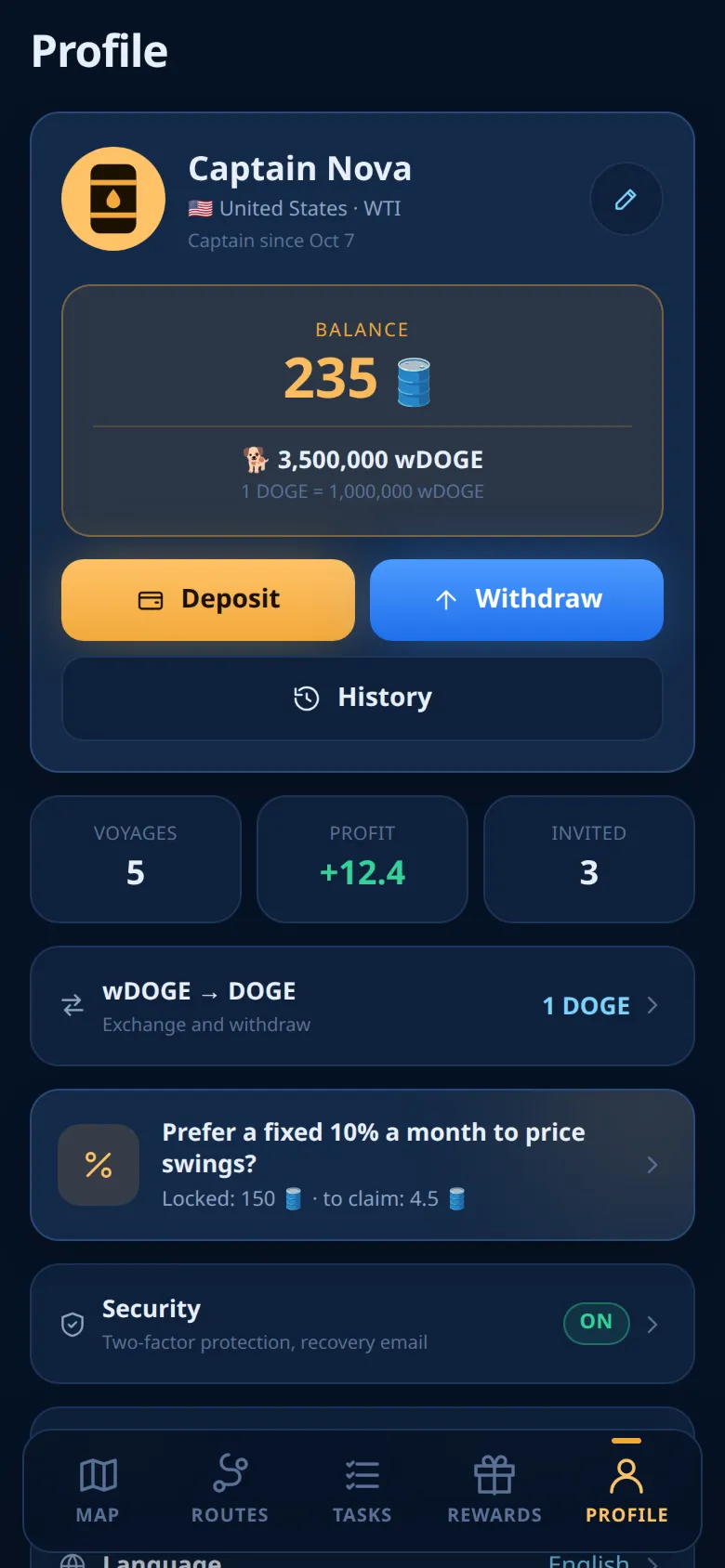
Your account
Your game account belongs to your Telegram account. One Telegram account has exactly one game account, and there is no separate password. On any phone or computer where you use the same Telegram account, the game opens the same account with the same balance, flag, nickname, language and settings.
This also means that whoever controls your Telegram account controls your game account. Protect it, and see Security.
In Telegram's ⋯ menu, Settings also opens this tab.
What is there
From top to bottom:
- Your card: avatar, the name other captains see, your flag, country and grade, and "Captain since" with the date you joined. The pencil button opens the editor.
- Your balances: wBarrel first, then DOGE, with an approximate total in USD (1 🛢️ = 1 USDT). Buttons Deposit, Withdraw (only while withdrawals are open) and History. For DOGE, see wDOGE and DOGE.
- Staking. See Staking.
- Statistics: what you have in voyages now and the expected profit on arrival (see below).
- Referrals: how many captains you invited, your reward rate and what you earned from referrals (see below).
- Game:
- Notifications with a badge such as 6/6. See Notifications and the bot.
- Flag: your country. "Your country is cosmetic only and gives no advantage. Change it any time, as often as you like." See Flag.
- The switch Hide me on leaderboards. See Leaderboards.
- Guide: opens this guide in your language, in your browser.
- Take the tour again.
- Language: the language of the app and of the bot.
- Security with an On or Off badge. Two-factor protection is optional. See Security.
- A note at the bottom: Oil Voyage is a multi-currency Mini App on TON, 1 wBarrel = 1 USDT, and withdrawals convert 1:1 into USDT, or into other coins at current rates. See Withdrawals.
Your stats
| Stat | What it shows |
|---|---|
| In voyages now | The wBarrel in your shares on tankers that have not arrived yet. |
| Expected profit on arrival | What those shares are expected to earn on top when they arrive. It is an estimate: the final payout also depends on prices. See The payout. |
| Invited | Everyone who joined through your link, registered or not. |
| Reward rate | Your share of the deposits of the captains you invited, in %. |
| Earned from referrals | Everything your referrals have brought you so far. |
Each of the three referral numbers opens Referrals.
History lists every movement of your balance, with its reason.
Changing things
Nickname and avatar
Other captains see your nickname and avatar on the leaderboards, in friend lists and in some bot messages. Without a nickname they see your @username, or your Telegram first name, or "Captain".
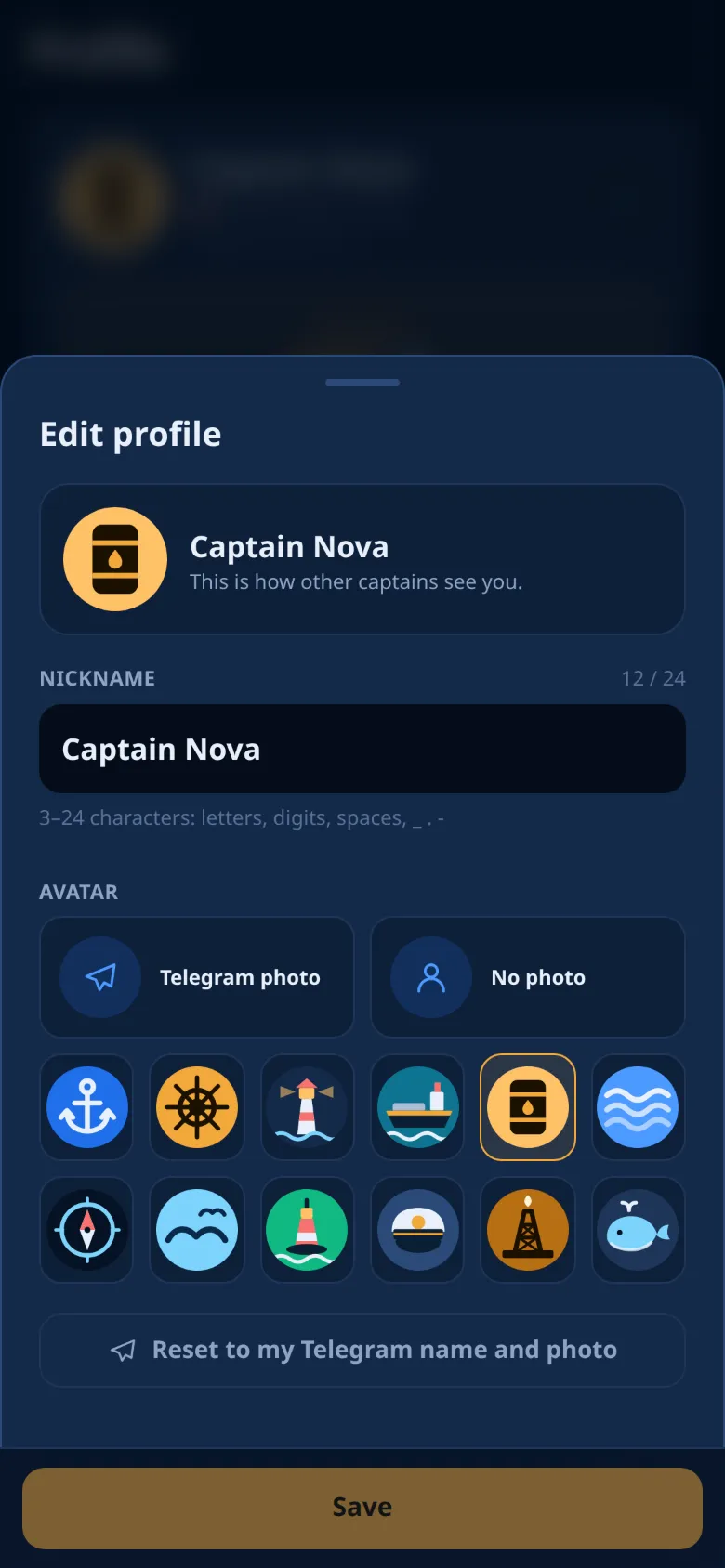
- Tap the pencil on your card. The editor opens with a preview: This is how other captains see you.
- Type a nickname. A counter shows how many characters you used. Leave it empty to use your Telegram name.
- Choose an avatar: Telegram photo, No photo, or one of 12 drawings.
- Tap Save at the bottom. It works only when something changed and the nickname is valid.
To go back, tap Reset to my Telegram name and photo. It clears the nickname and the avatar at once.
Nicknames are not unique: another captain can use the same one.
Nickname rules
- 3 to 24 characters. Spaces at the start and the end are removed.
- Letters and digits of any alphabet, and space,
_,.and-. - The first and the last character must be a letter or a digit.
- No
@. - Nothing that looks like a link: no http, www or t.me, and no endings like
.com,.ioor.ru.
If the app or the server refuses a name, a short line says why. Try another name.
Language
The game is in English, Russian, Spanish, Portuguese, Turkish, Korean, Arabic and Persian. Arabic and Persian are shown right to left.
- Tap Language.
- Pick a language. The screen changes at once.
The choice is saved on your account, so the bot's messages follow it too. Changing Telegram's language later does not change the game's language. Only this setting does.
Flag
Your flag decides your crude grade, its prices and your routes. You can change it at any time, for free.
- Tap Flag. The list shows each flag with its stats.
- Pick another open flag and confirm with the bottom button.
Shares you already bought stay where they are. Only the fleet on your screens changes. After the change you can buy shares only on tankers of your new flag. Locked flags cannot be chosen. See Flags and countries.
The guide tour
Take the tour again shows the tabs again on demo data. Nothing in the tour is spent or saved. When it ends, your real data comes back and the map opens.
Ready to sail?
Open Oil Voyage in Telegram and load your first tanker.