Leaderboards
The five leaderboards of Oil Voyage, what each one measures, the time windows, how places are counted and how to hide your name.
On this page
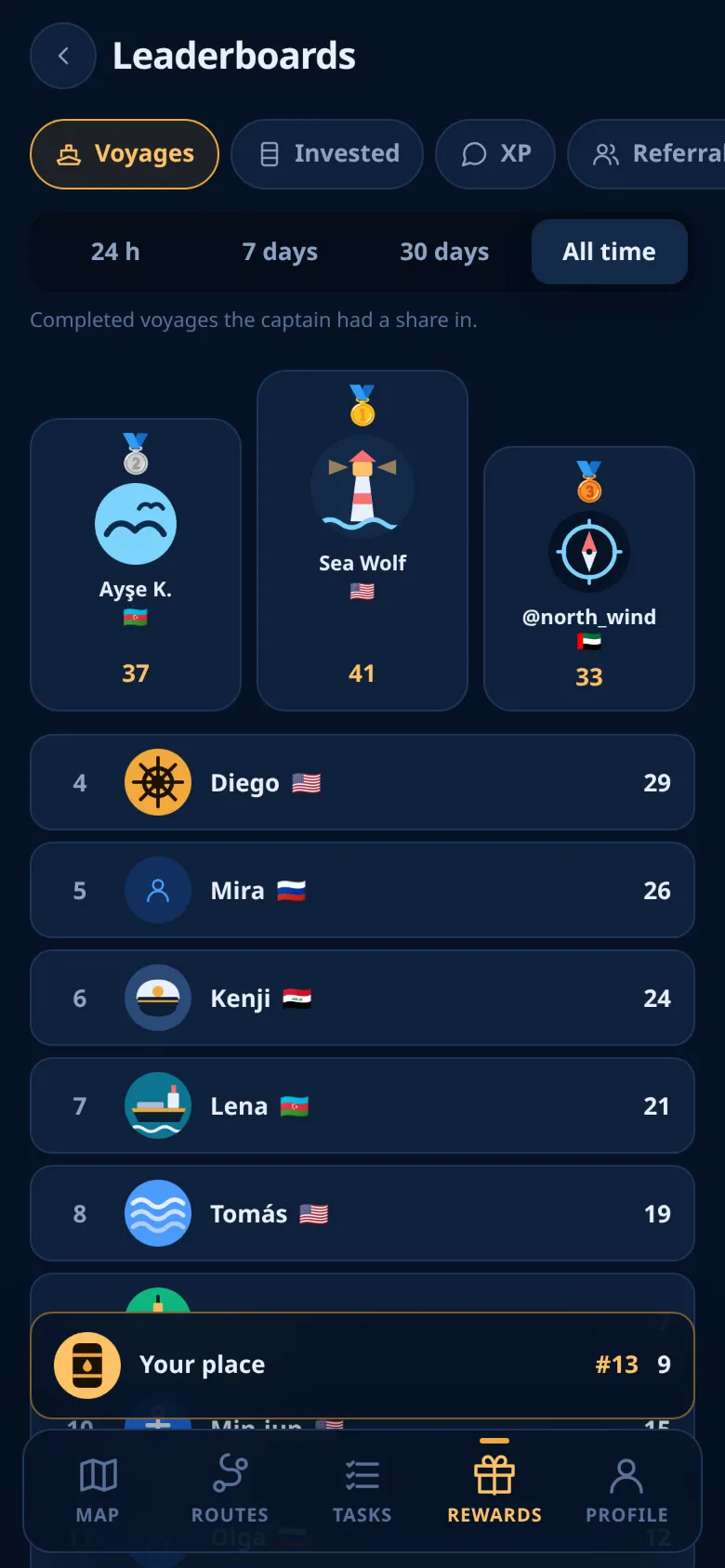
Leaderboards show the top 100 captains in five areas of the game, and your own place. This page explains what each board measures and how places are counted.
Opening the boards
- Open the Rewards tab.
- Tap the Leaderboards card.
- Choose a board, then a time window.
The screen opens on Voyages and All time. It remembers your last choice until you close the Mini App. A short line under the buttons says what the chosen board measures.
The boards
| Board | What it counts |
|---|---|
| Voyages | Voyages that paid out in the window and in which you had a share. Your free voyage counts. Cancelled and refunded shares do not. |
| Invested | wBarrel you put into shares bought in the window, in 🛢️. Shares still at sea count. Cancelled shares, refunded shares and the free share do not. |
| XP | Community XP earned in the window for messages in the community group. See Community. |
| Referrals | Friends you invited who finished the registration in the window. See Referrals. |
| Referral income | wBarrel you earned from your friends' deposits in the window, all lines. The wDOGE from friends' tasks and the referral task rewards are not included. |
Time windows
Each board has four windows: 24 h, 7 days, 30 days and All time.
The windows roll. They count back from the moment you look: the last 24 hours, the last 7 × 24 hours, the last 30 × 24 hours. They are not calendar days or weeks. All time has no limit.
Places
- Each board lists the top 100.
- Only captains with more than zero on that board in that window are ranked.
- Captains with equal values share the better place: 1, 2, 2, 4. The podium medals follow the place, so two captains tied for first both get 🥇.
- The first three stand on a podium. Places 4 to 100 follow as a list.
- Your own row is marked You.
A bar at the bottom always shows Your place: your rank and your value, even when you are outside the top 100. With nothing on that board in that window, it says Not ranked yet.
Each list is rebuilt at most once a minute. A new voyage, share or friend can take up to 60 seconds to appear.
Only active accounts are ranked. A frozen or banned account is not shown.
What other captains see
The boards show your in-game identity: your nickname and avatar if you set them, otherwise your Telegram name and photo, and the flag you sail under. You can change them in your profile.
Hiding your name
The switch Hide me on leaderboards is on the Leaderboards screen and in Profile. It is off by default.
When it is on:
- every board shows you as "Captain" without a photo and a flag, for everyone;
- your place and your value stay on the board;
- your own row is still marked You, so you can find it.
Note
The switch covers the leaderboards only. The friend who invited you still sees your name and avatar in their friends list.
How to climb
Each board follows a part of the game. There is no separate action for the boards:
- Voyages and Invested follow your voyages. See Buying a share.
- XP follows your messages in the community group.
- Referrals and Referral income follow your invites.
Every voyage carries risk, and a place on a board is not a reason to put in more than you can afford to lose.
Ready to sail?
Open Oil Voyage in Telegram and load your first tanker.